Playbook 6
Holiday leave deconfliction
AI Tools Field Guide
Not affiliated with OpenAI, Google, xAI or Anthropic; your organization’s rules come first.
Placeholders in, the manning floor in. It proposes the split and names every rule it could not meet; you count and sign.

Set it up
- Placeholders, not names. S01 to S24 in the chat; the key that maps them to people stays in your spreadsheet.
- One row per person: ID, watch section or shop, qualification, first choice period, second choice, dates already committed.
- State the floor as a hard rule. “Every section keeps four qualified people present in both periods.” Preferences come after it.
- Leave detail is personal information. No reasons, no travel plans, nothing medical; keep it out of any AI tool.
Work it in four passes
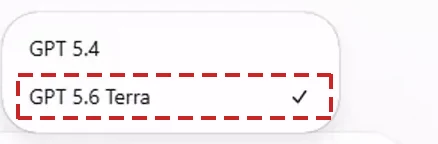
- Pick the careful model. GPT 5.6 Terra Pro Grok Expert A split with floors is reasoning, not drafting.
- Both periods in one pass. Handled one at a time, the first period takes the people the second period needed.
- Ask for the audit. Who got first choice, who got second, who got neither, and every section left under the floor.
- Re-add the counts in Excel. It miscounts totals it wrote itself, so the section tally is yours to confirm.
Say it like this
Split holiday leave into period one, 18 to 27 December, and period two, 28 December to 6 January, from the table below.
Hard rule: four qualified people per section in both periods. Then first choices where the floor allows. Use only the rows given.
Return the split by ID, a count per section per period, and every rule you could not meet.
Take away
It proposes; you own the floor. Count each section in the spreadsheet, tell the chiefs what you could not grant, and sign the plan.