KML to Text Tool
It takes the lines and shapes in a KML, KMZ, shapefile or GeoJSON file and writes them out as a plain list of latitude and longitude points, one block per feature. Plot the points and connect the dots, and you have the chart again.
There are three types of the tool, and each writes the same list from the same file. features2text.ps1 runs in PowerShell on Windows, with no Python. features2text_basic.py needs only Python; there is nothing to install. features2text_full.py also reads geodatabases and ArcGIS layer packages, and needs pyogrio (or fiona), plus 7-Zip for packed layer packages.
An example
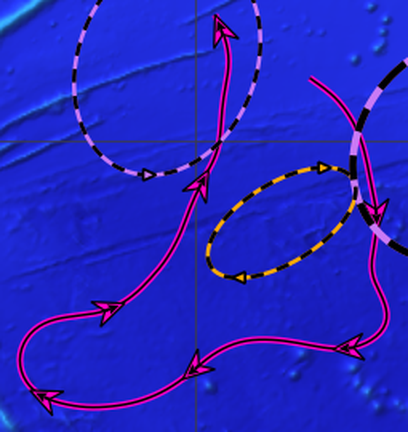
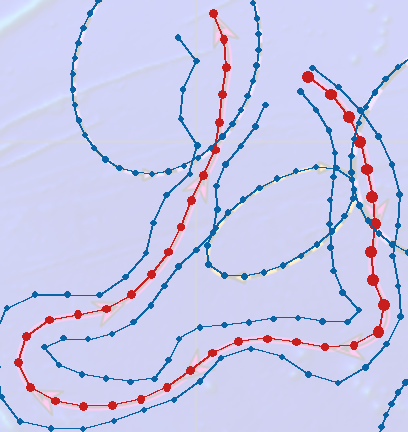
python features2text_basic.py 20 40 hawaii.kmzFEATURE 1
20.909 -163.346
20.655 -163.014
20.336 -162.757
19.967 -162.593
19.576 -162.497
19.182 -162.418
18.784 -162.381
18.386 -162.434
17.990 -162.412
17.619 -162.255
17.241 -162.329
...The 20 and 40 are step counts: longer features get 40 steps and the rest get 20. The current takes 40 steps, which is 41 points, and the first 11 are shown. The whole chart comes to 94 features and 24,062 characters.
Both hold the same folder. Free to use, change and pass along (MIT License). Checksums