 AI Tools Field Guide
Your documents at scale
There are three ways to give the model a document: attach it, keep it in a project, or retrieve passages from a library, each with its own cost and its own way of failing. Retrieval is the idea behind "search all our policy documents."
Three routes, one question
Every way of giving the model a document ends the same way: some text from the document goes into the request. The routes differ in how much goes in, how often, and who decides.
| Route | What goes into the request | Best for | Where it fails |
|---|---|---|---|
| Attach | The whole document, or as much as fits, this turn | One document, one job, today | Large files fill the window; the middle is read unevenly |
| Project files | Standing files re-supplied to every chat in the project, in full or by retrieval depending on the product | A small set of reference documents you use every week | Ageing files nobody updates; the set grows until it is a corpus |
| Retrieval | Only the passages a search step judges relevant to the question | A large or changing collection, or many users asking questions of it | The search misses the right passage and the model answers from the wrong one |
Attach: the document is in the window
Attaching is the simplest route: what the model sees is what you gave it, this turn, subject to the window. Right for the instruction you are rewriting, the report you are summarizing, the drafts you are comparing.
Its limits are the window's limits from Tokens and the context window: a long file crowds out the reply and is read unevenly. Attach the section, not the binder.
Projects: the documents are always there
A project keeps files and standing instructions with a set of chats, so every new chat starts with the same material: the format guide, the current instruction, last year's example, the documents a division uses every week.
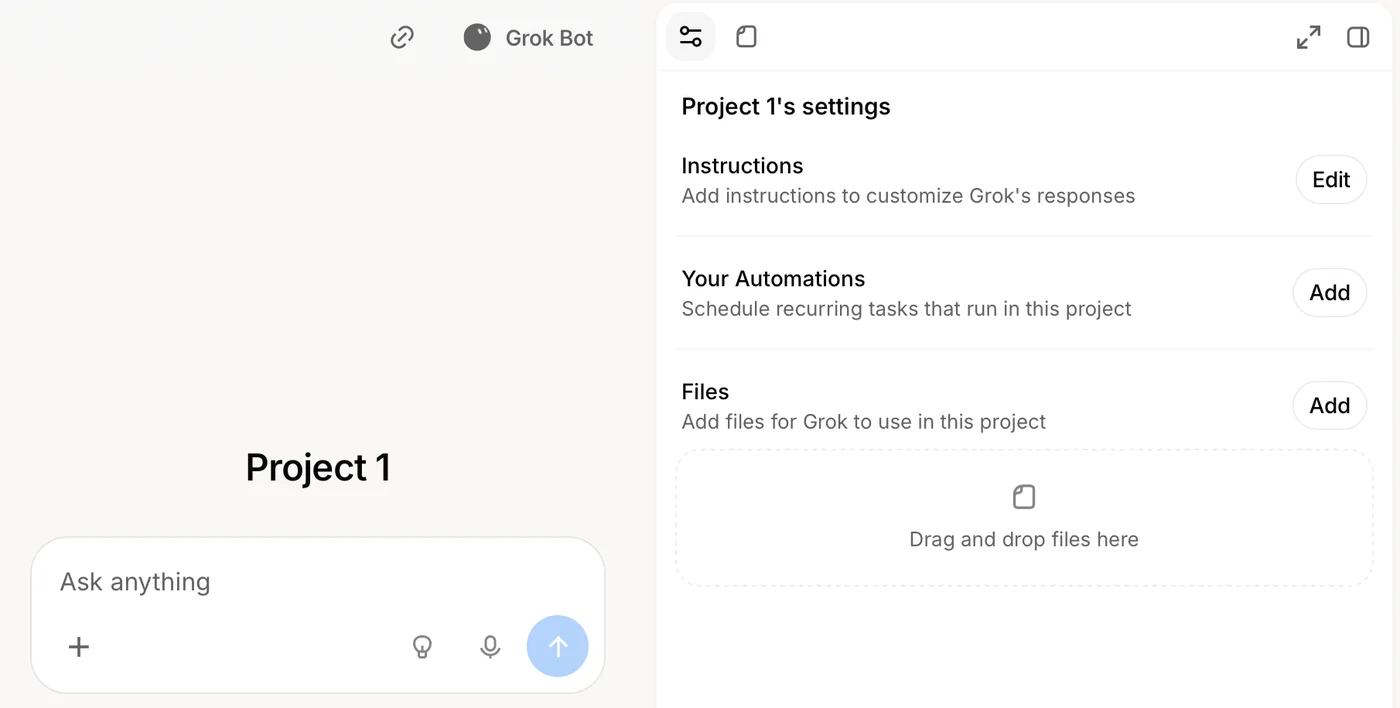
Screenshot by the author, 25 September 2026.
The trap is scale. Products differ on how project files reach the model: some send them in full each turn, some retrieve passages once the set is large. If you cannot say which yours does, you are relying on retrieval without knowing it.
Retrieval: the RAG idea in plain words
Retrieval-augmented generation is the method behind every "ask questions of our whole document library" feature. The library is too big to send, so it is prepared in advance and searched at question time.
| Step | What happens |
|---|---|
| Chunk | Each document is cut into passages of a few paragraphs. |
| Embed | Each passage is turned into a list of numbers that captures what it is about, so passages about similar things sit near each other. |
| Retrieve | Your question is turned into the same kind of numbers and the nearest passages are found, typically a handful. |
| Generate | Those passages go into the request with your question and "answer from these," and the reply cites them. |
The model never sees the library. It sees the handful of passages the search chose. When the search chooses well, the answer is grounded and the citation lets you check it in seconds.
When it chooses badly, because your question used different words, or the answer spans two passages, or the document was never indexed, the model answers confidently from what it was given. Retrieval makes an answer checkable. It does not make it right.
A document-connector feature that searches your organization's whole policy library is retrieval at scale: point it at thousands of documents, switch it on, ask "which document and which paragraph?", then open the citation.
Choosing, by job
| Job | Route | Why |
|---|---|---|
| Rewrite this instruction into a checklist | Attach | One document, read whole |
| Draft this week's memo in our format | Project | The format guide and example are standing files |
| What does policy say about temporary duty for reservists? | Retrieval (policy search) | The answer is somewhere in thousands of documents |
| Compare last year's award package with this year's | Attach both | Two documents, read whole, compared directly |
| Keep a roster current as new documents arrive | Project plus an agent | Standing files, a repeatable step, and a person approving |
| Answer the same questions about our SOP set for the whole department | Retrieval, or a project if the set is small | Many users, many questions; only the relevant passage should travel |
How to check a retrieved answer
| Do this | What it tells you |
|---|---|
| Open the cited passage. | If it does not say what the answer says, the answer is invented from a near miss. |
| Ask the question a second way, with the document's own vocabulary. | A different answer means the search, not the library, was the problem. |
| Ask about something you know is not in the library. | A tool that says "not found" is behaving; a tool that answers anyway will do so on real questions too. |
| Ask which documents were searched. | A library missing the latest revision returns the old one with confidence. |
A staff example
| What happened | The fix |
|---|---|
| A department builds a project with its twelve standing SOPs so anyone can ask "what is the procedure for X?" It works for a month. Then a revised SOP is issued, the old file stays in the project, and for three weeks the model answers from the superseded version, citing it correctly. | Nobody was wrong to trust the citation; the library was stale. Whoever issues a revision replaces the file the same day, and the project instructions say which revision is current. |
What to do with this
Look at the project your team uses most and check the date on every file in it. For the mechanics, RAG, retrieval-augmented generation in the Advanced tier goes into embeddings and chunking. Then the last three lessons of this tier build the things the Beginner path only described: an agent, a GPT and a project, and Grok skills and automations.