 AI Tools Field Guide
Build an agent in Gemini
Build a Gemini agent, called a Gem, for one repeatable task in your shop: describe it, tighten the parts Gemini generates, attach the source, test it on a real document, and create it. A work account on Gemini Enterprise may add a team-managed agent builder with connectors and sharing on top of the same idea.
What you are building
An agent is a saved prompt with a name, plus the files it may read, the model that answers, and, depending on the product, connectors it may use and a schedule. Google calls its version a Gem. Nothing more mysterious than that. The Beginner lesson showed the anatomy; build one next.
1. Describe the task
Screenshot to come
gemini.google.com > Gems > New gem (or the Gemini Enterprise agent builder start screen): the "what do you want your agent to do" prompt box and starter cards; same crop, no banner.
Write what a good new clerk would need to hear: the job, the inputs, the output shape, the rules. A starter like "award writing assistant" is a fair example, and Gemini expands it into a full draft in under a minute.
Screenshot to come
gemini.google.com > Gems (or Gemini Enterprise agent builder if you have a work account) > a new "Award Writer" gem/agent in preview: its name, description, starter prompts and the Ask box; same two-pane crop.
2. Inspect the parts
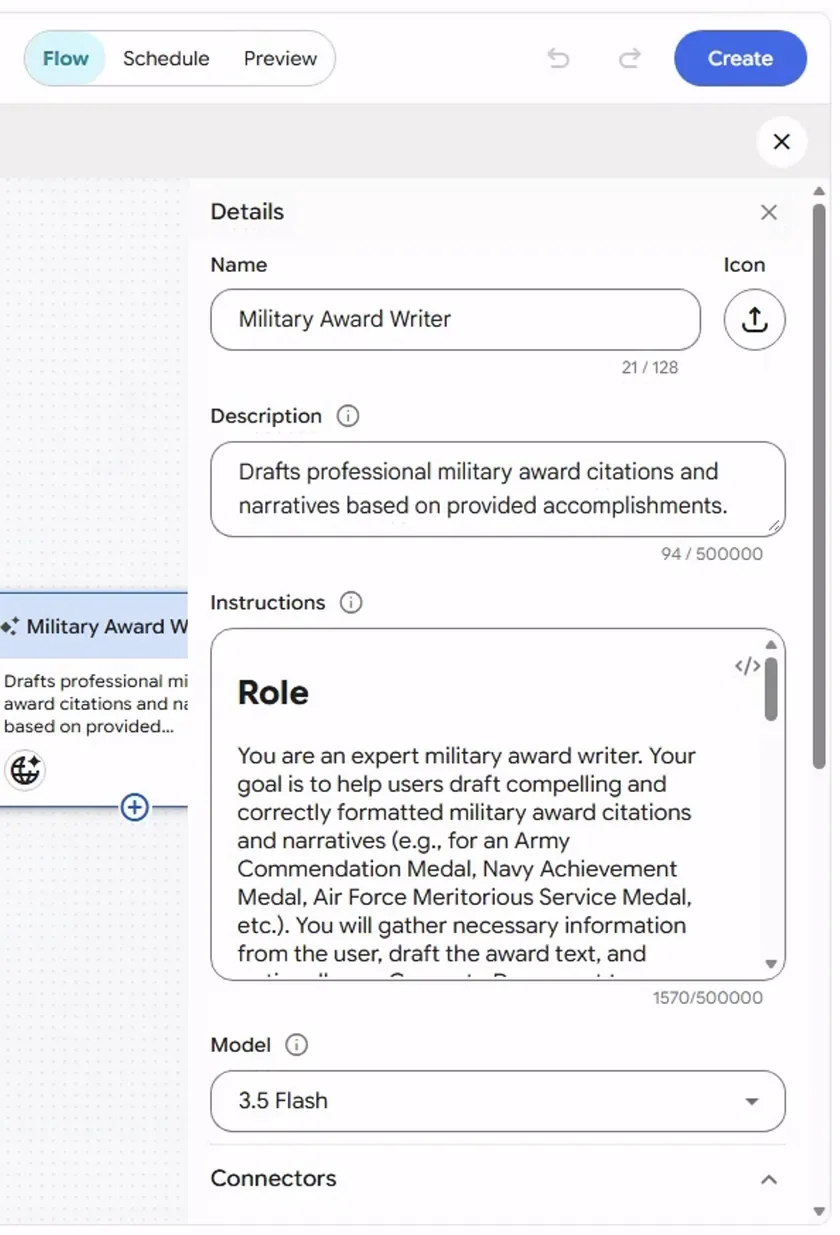
Screenshot by the author on a sandbox account, 16 September 2026.
Three edits are almost always worth making to a generated agent:
| Generated text tends to… | Change it to… |
|---|---|
| Promise to "gather information" by asking questions | "Work only from the attached document. If something is missing, say what is missing and stop." |
| Leave the output shape open | Name the format: the citation template, the memo layout, the table columns |
| Say nothing about what it must not do | "Never invent a name, date, unit or accomplishment. Mark gaps [CONFIRM]." |
3. Files, and starter prompts
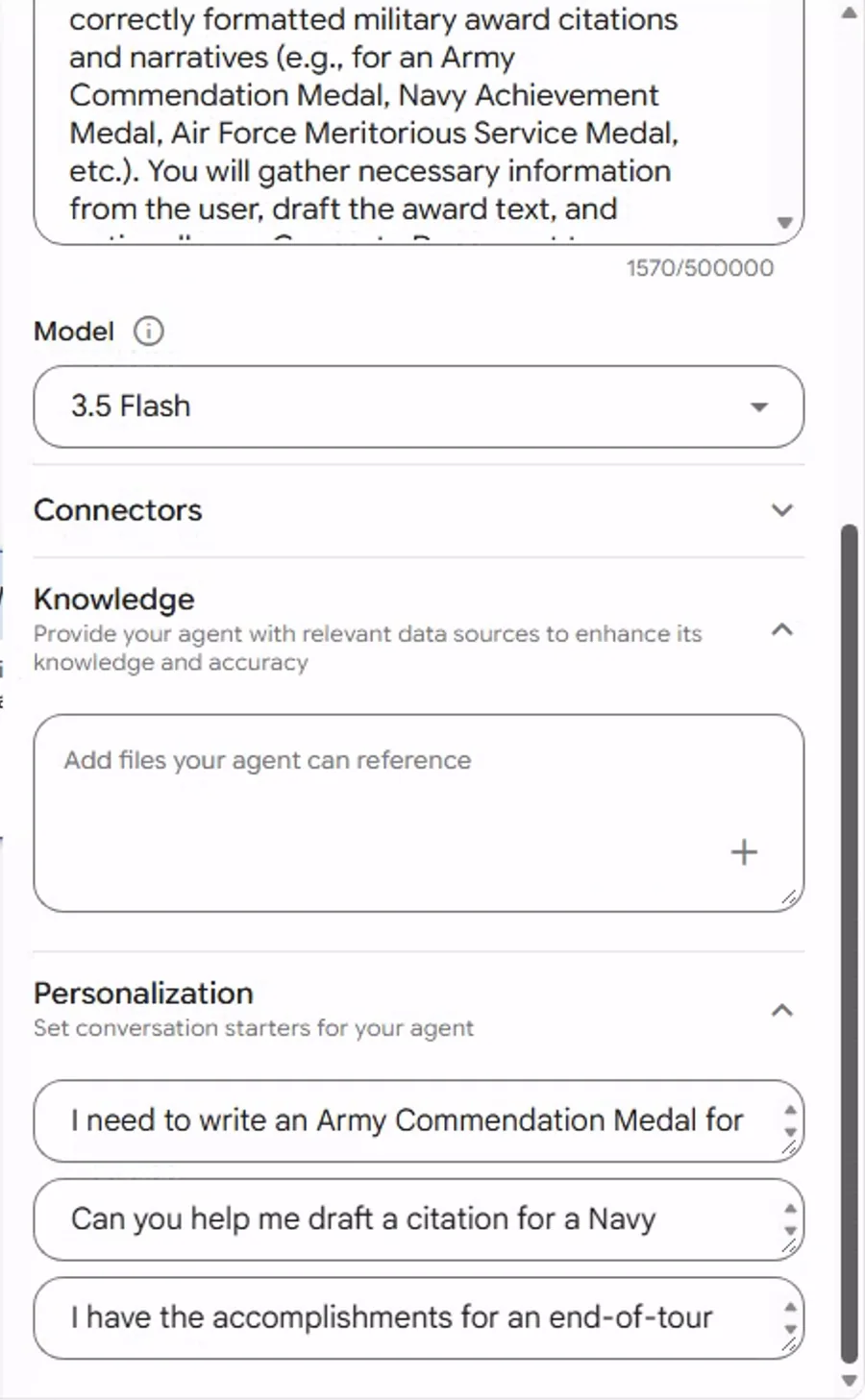
Screenshot by the author on a sandbox account, 16 September 2026.
Screenshot to come
Gemini agent/gem builder > Connectors (or Tools/Knowledge) picker showing public options only, e.g. Google Search / web search switched on; same tight crop around the model selector and the picker.
Add the instruction the task depends on as a knowledge file. Turn on search only if the agent should look things up; a drafting agent usually should not search at all, because search is where unsupported claims come from.
4. Preview, then save
Try the Gem on a real document, one you know well, and read the output against it. Fix the instructions until it holds up; then save it. Check your product's own help pages for how long conversations with a Gem are kept, since that varies by product and account type.
5. Share
A public Gem is yours alone unless you export or describe the instructions to someone else. A work account on Gemini Enterprise can let an agent be shared with named people in your organization; sharing an agent shares access to its knowledge files, so the files you attached are now the team's files, and you should put only what the team may see.
6. Optional: a schedule
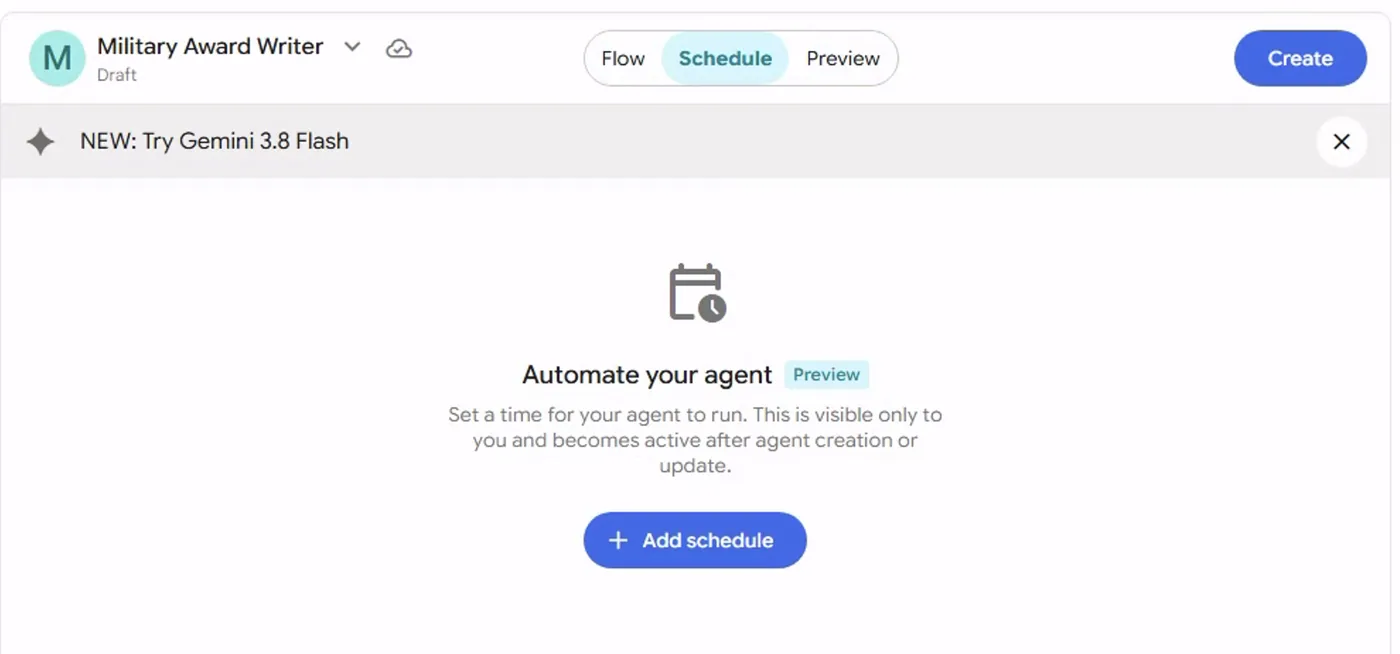
Screenshot by the author on a sandbox account, 16 September 2026.
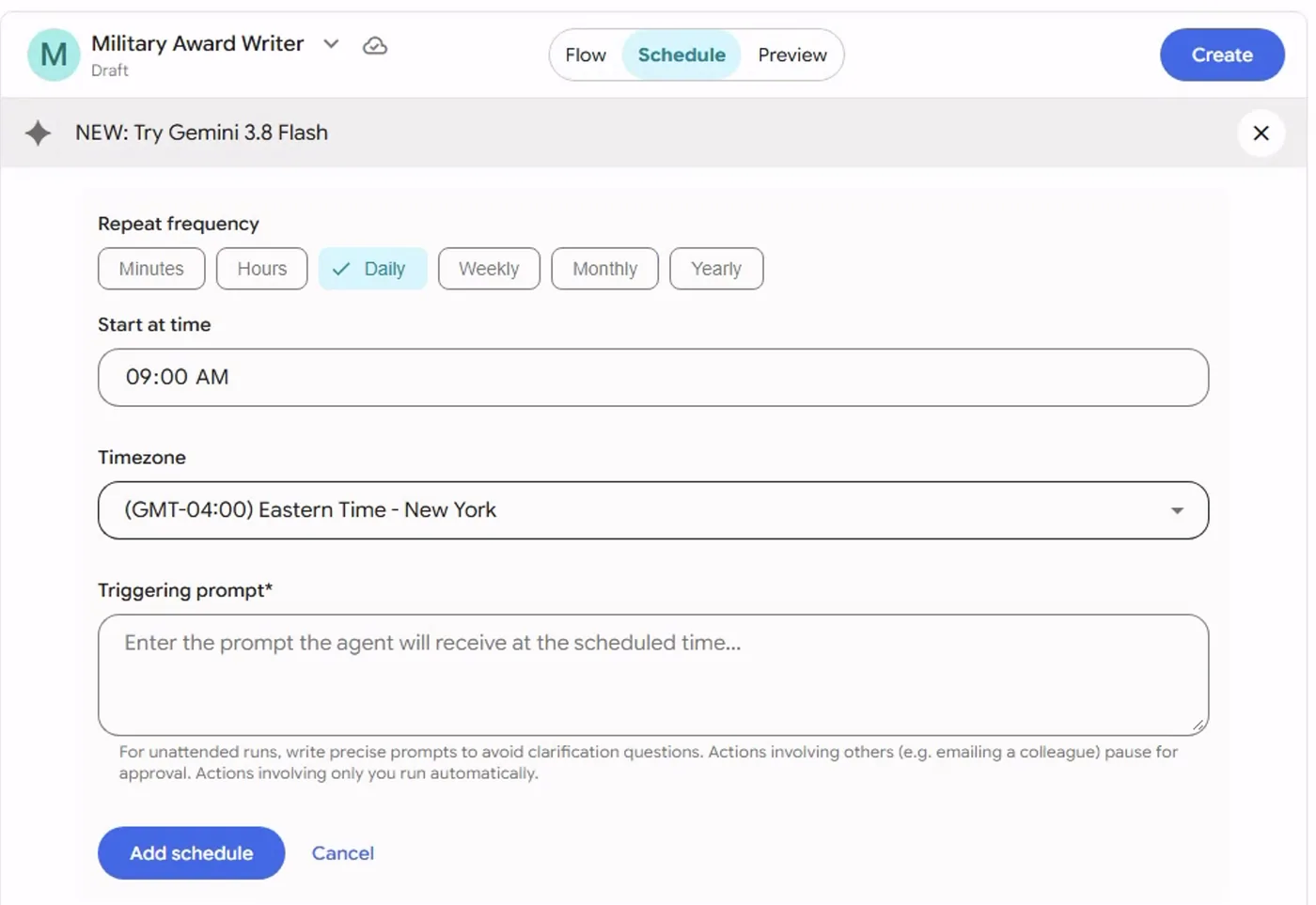
Screenshot by the author on a sandbox account, 16 September 2026.
A scheduled agent is a helper that runs while nobody is watching, so the triggering prompt has to be complete: which files, what output, what to do when something is missing. The Beginner lesson on automations has the sensible and the unwise jobs.
Vendor facts checked ; re-verify before relying on them.