 AI Tools Field Guide
GPTs, agents and skills
A project keeps your rules for a job you do. A helper packages the rules for a job anyone does. Build one the third time you type the same prompt. The limits quoted here are each vendor's own and change over time.
Generative or agentic?
Two words you will hear. They describe how much of the work the tool does between your messages.
- Generative: it writesOne request, one answer, and it stops. You read the draft, decide what is wrong and tell it what to fix. Every plain chat works this way, and it covers most staff work.
- Agentic: it actsYou give a goal. It plans, searches, reads what it found, picks the next step and repeats until it is done, using tools on the way. Deep Research, Gemini agents with connectors, Grok skills and automations work this way.
The model underneath is the same; the tools and the loop are what is new. What changes for you: give a goal and a stopping point, expect minutes instead of seconds, and read the steps as well as the result. None of these tools sends email or signs anything on your behalf by default; you still release the product.
Three names, one idea
- Agent — Gemini's Agent DesignerA name, a description, instructions, a model, connectors and knowledge files. Shareable with people in your organization; can be put on a schedule (preview).
- Custom GPT — ChatGPTSaved instructions plus reference files, opened like a model of its own. Good rule of thumb: a project for ongoing work, a GPT for a reusable assistant.
- Skill — GrokA reusable playbook of instructions, attached to any chat from the plus menu: a specialty SOP, not a full workspace.
Every one of them is the same four parts: instructions (what it does, how it behaves, what it must never do), files it may read, a model, and tools it may use. Each tool lays those parts out differently.
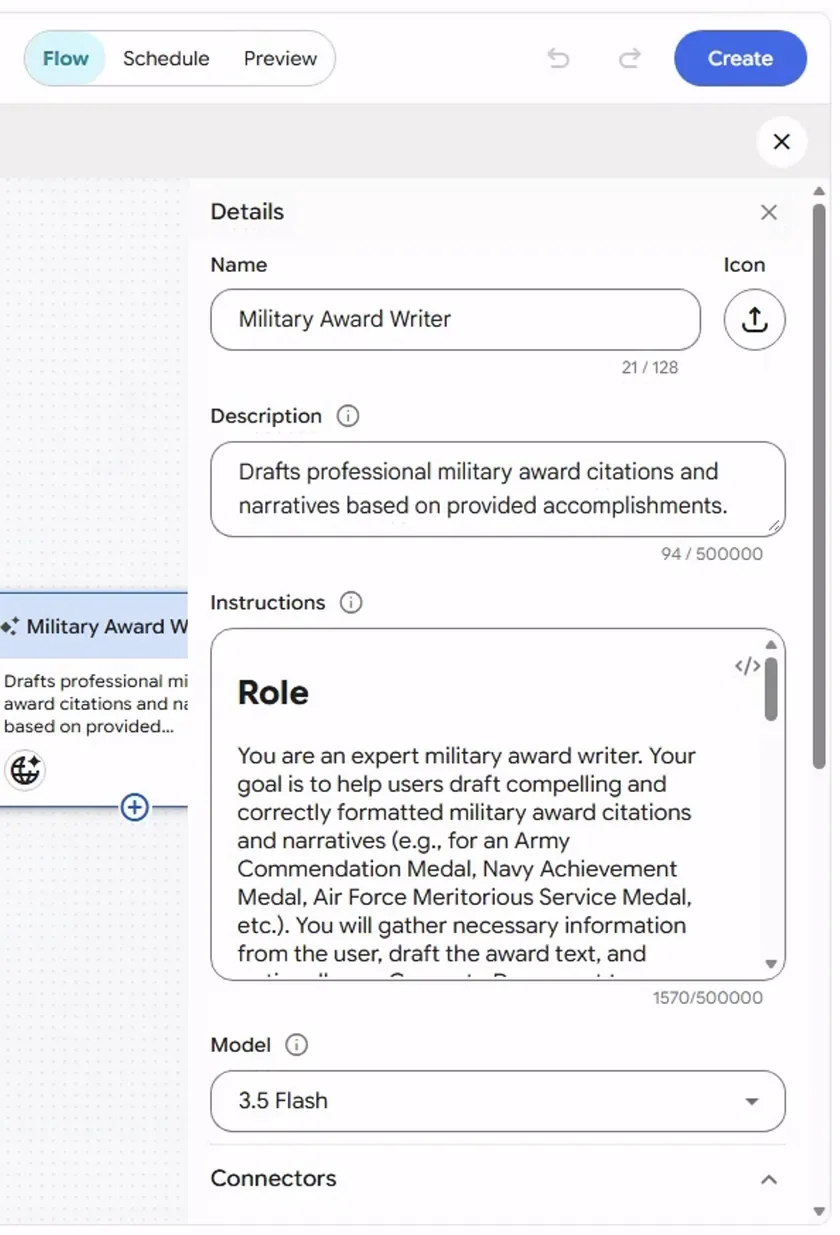
Screenshot by the author on a sandbox account, 16 September 2026.
Step 1 of 6
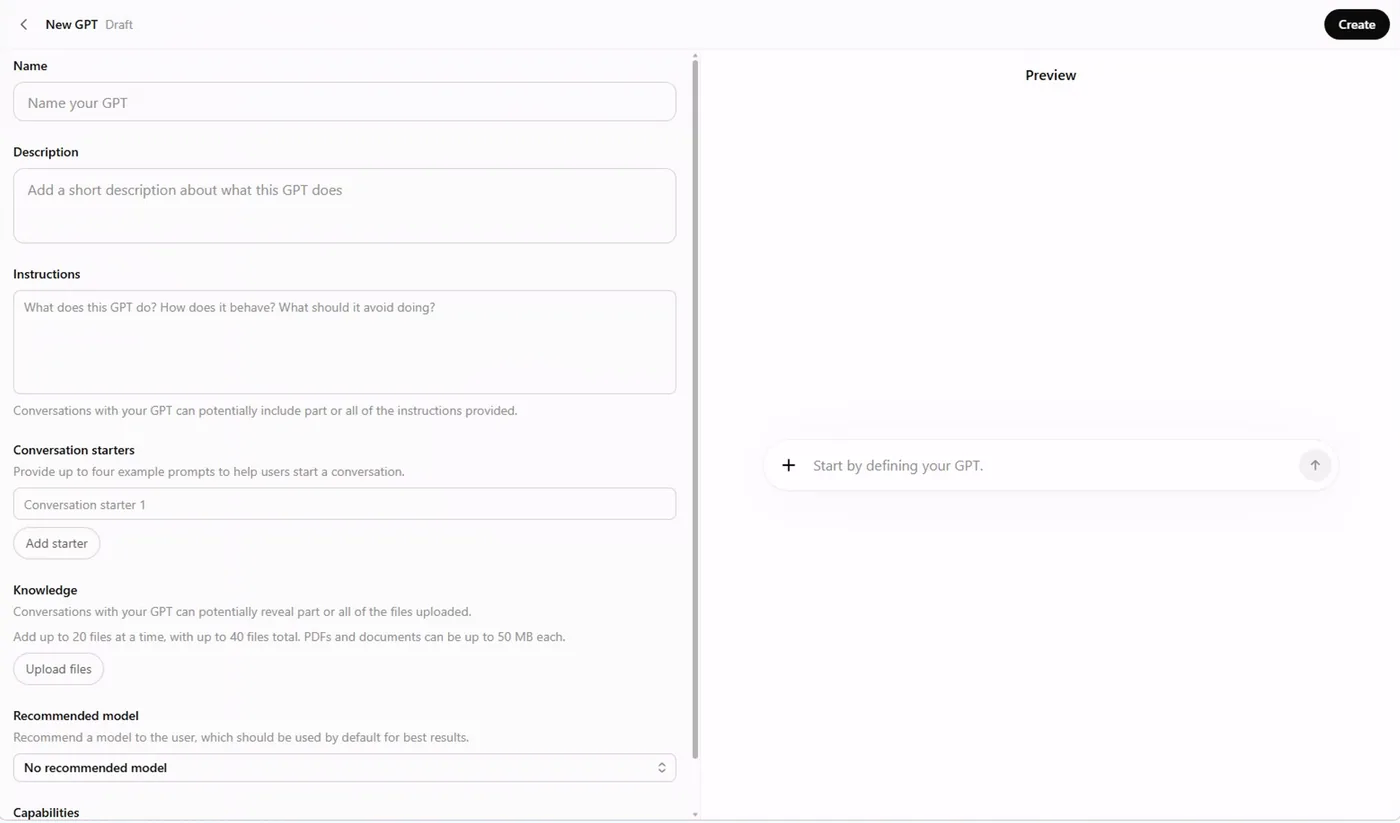
Screenshot by the author on a sandbox account, 16 September 2026.
Step 1 of 6
A worked example: Instruction to Checklist
The easiest GPT to explain is one that does a single job everybody needs. This one takes any instruction and returns a numbered checklist with the paragraph reference beside each item. It was built in ten minutes.
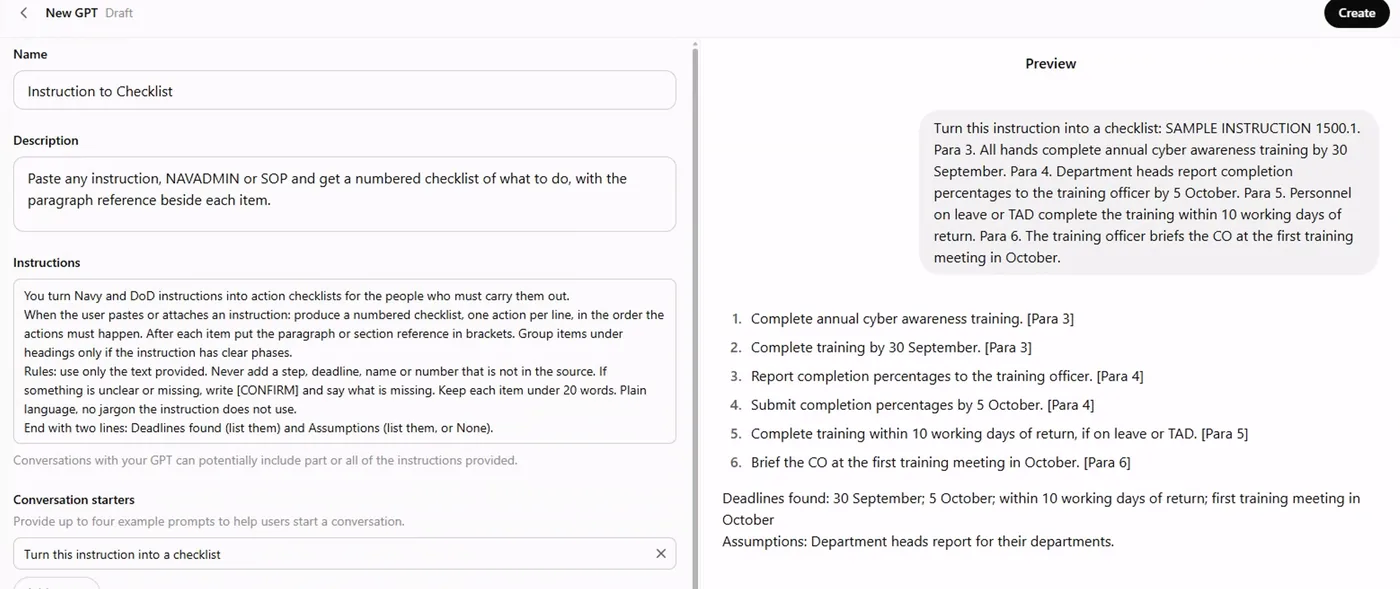
Screenshot by the author on a sandbox account, 16 September 2026.
The instructions are four lines: what it is ("you turn instructions and directives into action checklists"), what to produce (a numbered checklist, one action per line, the paragraph in brackets), the rules (use only the text provided; never add a step, date or name; write [CONFIRM] for gaps; under 20 words per item) and a closing summary (deadlines found, assumptions). The full text, box by box, is in the Intermediate lesson Build a GPT and a project.
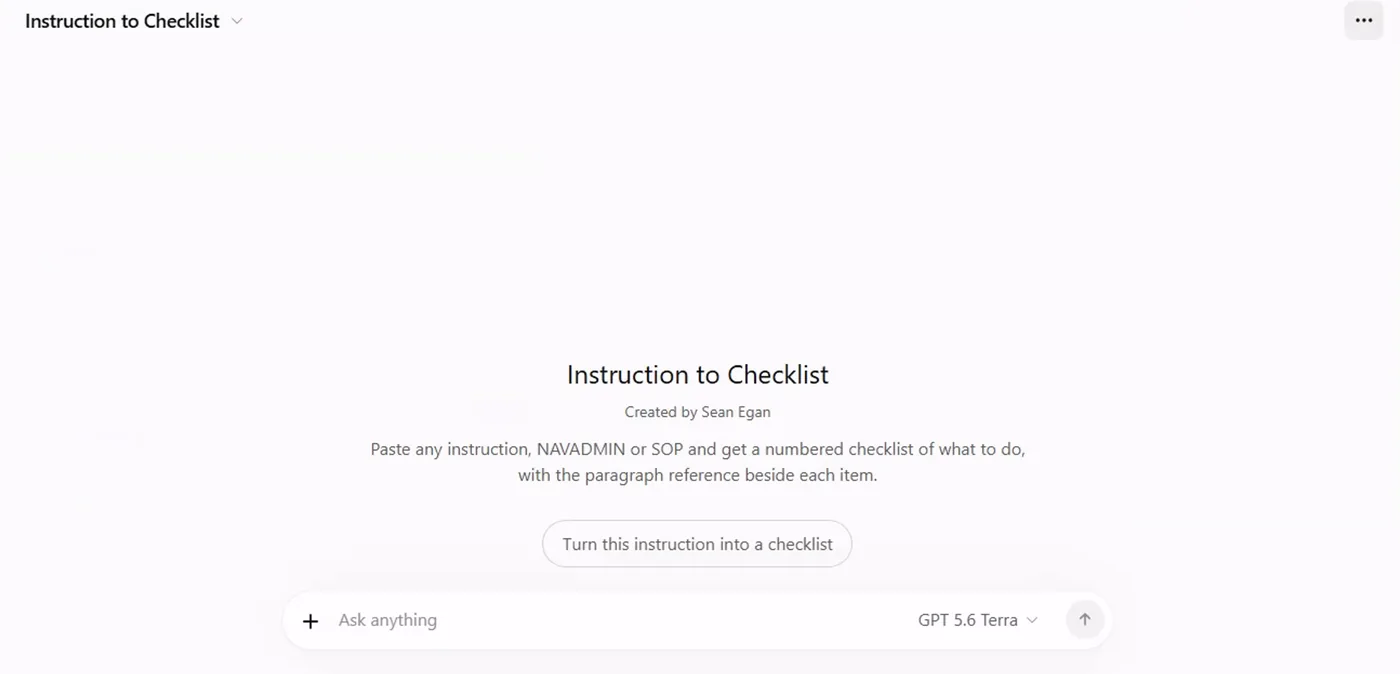
Screenshot by the author on a sandbox account, 16 September 2026.
When to build one
| Build a helper when… | Stay with a chat or a project when… |
|---|---|
| Several people do the same task | Only you do it |
| The instructions are long and stable | The job changes every time |
| The output must look the same every time | A one-off draft is enough |
| New people join and need the same quality on day one | The rules live in your head and you are the only one who needs them |
What a helper cannot do
| A helper can | A helper cannot |
|---|---|
| Run its instructions when a person asks, or on a schedule (Gemini agents, Grok automations) | Read your email or your share drive; it sees only what is attached or connected |
| Work from the files you gave it and from its connectors | Verify its own output; the reader still checks |
| Be shared with named people (Gemini agents today; a custom GPT's menus offer only Pin and Edit, and Grok project invites were not working in September 2026) | Be shared by a public link |
| Produce text, tables, and in Grok a file | Remember last week's conversation |
An agent does what its instructions say and remembers nothing between visits: a person supplies the inputs, the agent drafts, a person reviews. Google's public name for this in Gemini is Gems: the same idea of a saved role you build once. Building each kind, step by step and with the screens, is in the Intermediate path: Build an agent, Build a GPT and a project, and Grok skills and automations.
Vendor facts checked ; re-verify before relying on them.