 AI Tools Field Guide
Files and documents
Attach the file. Without one the model answers from memory; with one it reads what you gave it, and you can check the answer against that same file.
Five things to do with a file
- Summarize"Summarize the attached instruction for a watch team in under 200 words; keep every deadline." Tell it what must survive the compression.
- Extract"List every reporting requirement as a table: what, to whom, by when, paragraph." It reads forty pages faster than you can find the page.
- CompareAttach the old and the new. "Show only what changed, as a two-column table." The fastest way to read a revised instruction.
- Rewrite"Rewrite the attached SOP as numbered steps, one action per step, plain language; do not add steps that are not in the source."
And the fifth: draft from. "Using only the attached bullets and the attached memo as a format example, draft the memo. Mark anything you had to assume with [CONFIRM]."
What each tool accepts
All four take PDF, Word, PowerPoint, Excel, text and images. Exact size and count limits differ by tool and change as vendors update them; check the current help page before you plan around a specific number. Claude, for example, documents 500 MB per file and 20 files per chat, or 30 MB per file for a project.
A few relevant documents beat a dumped share drive, and if a many-file question fails, try fewer files or one merged PDF. Long files are queried rather than read whole, so ask a long document specific questions rather than "tell me about this".
| You have | Attach it as | Then ask for |
|---|---|---|
| An instruction or directive | A checklist with the paragraph number beside each item | |
| Last year's package | DOCX | A new draft with the changed names and dates marked |
| Message traffic | TXT or PDF | A one-page summary, newest first, with the DTG beside each line |
| A slide deck | PPTX | Speaker notes; a list of slides that mention the old logo |
| A scanned form or a whiteboard photo | Image | The text, typed out, in a table |
Getting a file back
Text comes back as text in every tool; you paste it into your own document. Grok is the exception: its Skills (Word Documents, Presentations, Spreadsheets, PDFs) let it write a real .docx, .pptx, .xlsx or PDF file for you to download.
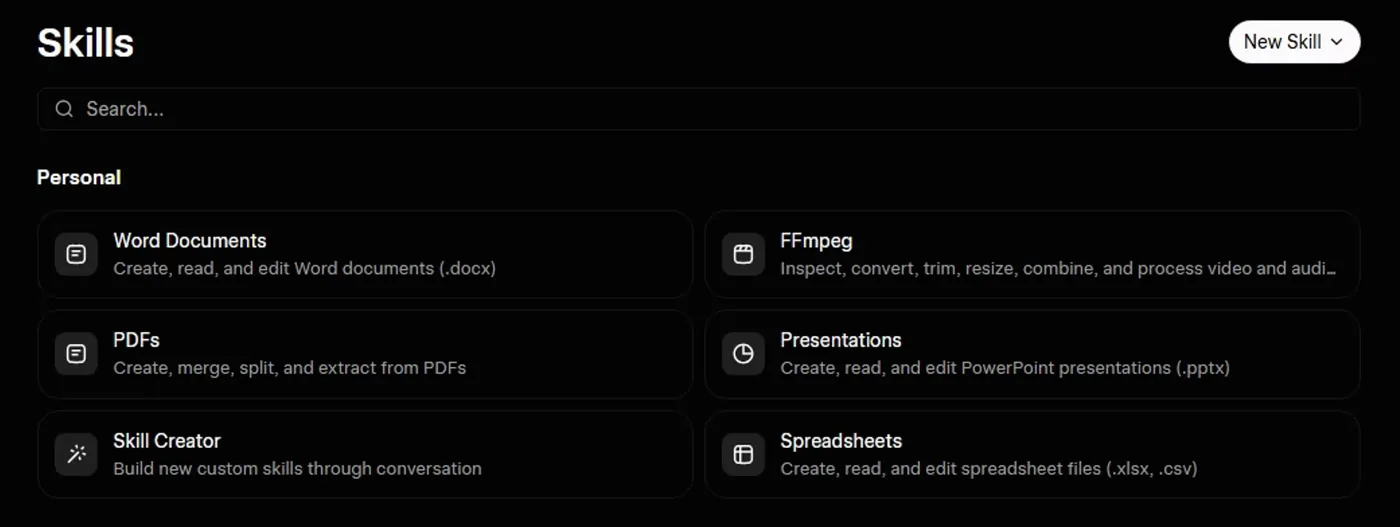
Screenshot by the author on a sandbox account, 16 September 2026.
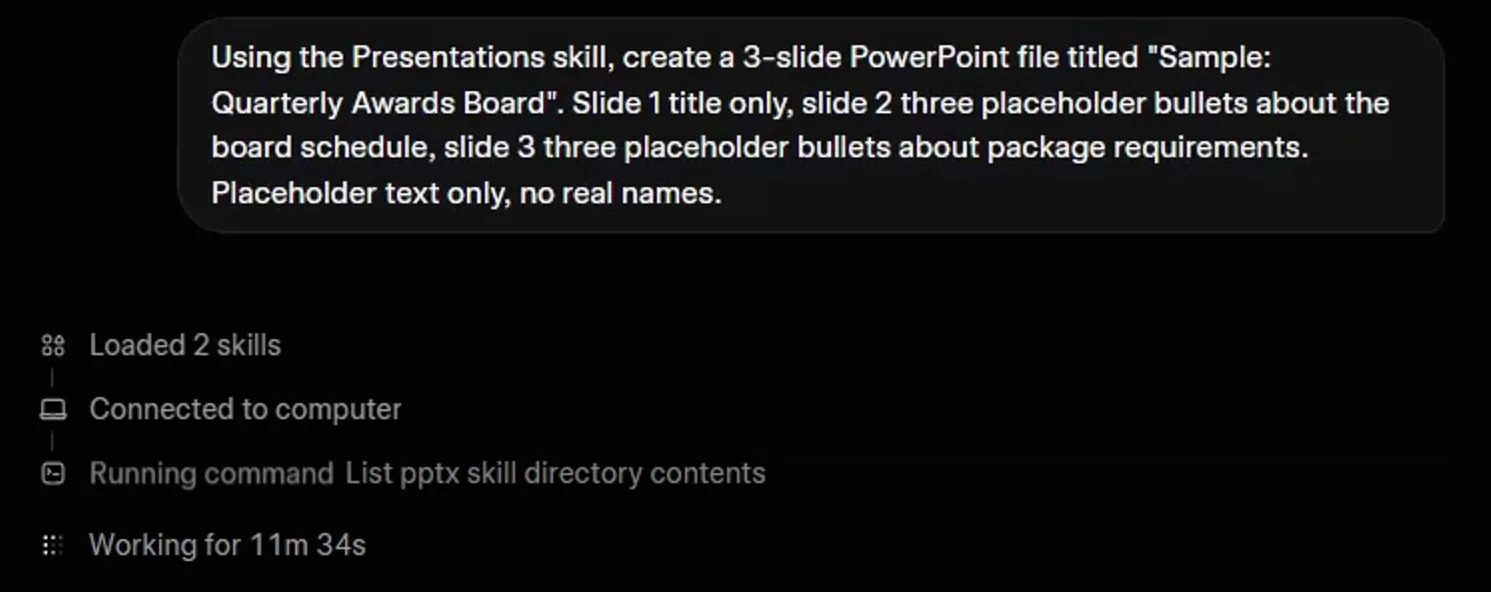
Screenshot by the author on a sandbox account, 16 September 2026.
A file job runs for minutes, sometimes many, and what comes back is a starting file rather than a polished deck. Ask for the words and the structure, drop them into your own template, and you are usually faster.
Always ask for references
Add "with the page or paragraph reference beside each item" to whatever you ask. An item with no reference, or a reference that does not say what the model claims, is the item to fix. Checking output makes a method of it.
The one rule
Vendor facts checked ; re-verify before relying on them.